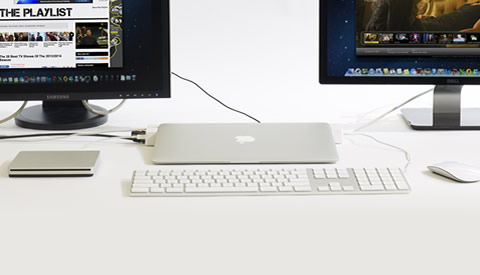
Turn your MacBook Air into a fully functional home or office desktop system
Your light-weight MacBook Air® just got a whole lot more powerful with this stylish docking station. Choose from the simple version that brings you simple docking, a USB hub, and a Kensington® Security Slot to the full PRO version with more additional, powered USB ports and Ethernet. Compare available models below.
-
Fits MacBook Air® Model A1466, Released June 2012 What MacBook Air do I have? » Security
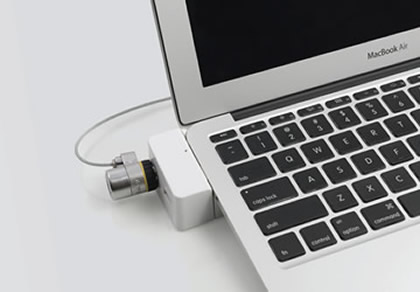
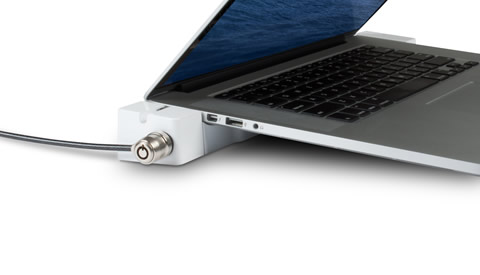
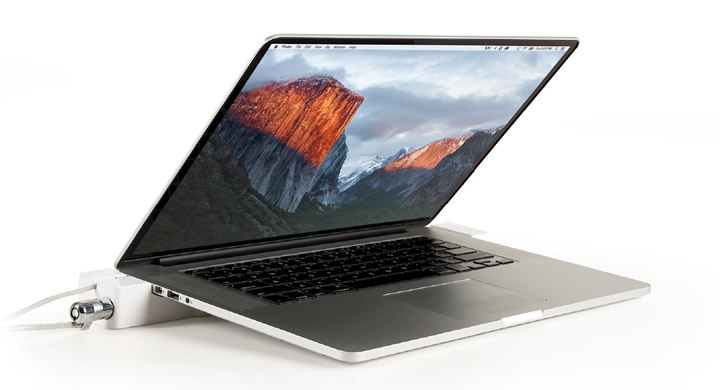
Now you can lock your valuable MacBook Air with any standard computer lock (sold separately).USB 3.0
Built-in powered USB Hub with 2 USB 3.0 ports allows you to connect multiple peripherals.Storage
Leave your external hard drive connected when you undock.Drawing Tablets
Connnect tablets such as Wacom® or similar devices to any of the USB ports.Smart Phones
Supports high-speed charging of iPhones, iPads, iPods through a pass-through USB port.Display
Connect an Apple Thunderbolt® or other display. Use it with the MacBook Air’s lid open or closed.Printers
Connect a printer through the USB port.LED Status Lights
Shows you if your MacBook Air is running without having to open the lid.MagSafe 2 Power
Pass-through port allows you to use your MacBook Air’s original power supply. -
Fits MacBook Air® Model A1369, Released June 2012 What MacBook Air do I have? » Security
Now you can lock your valuable MacBook Air with any standard computer lock (sold separately).USB 2.0
Built-in powered USB Hub with 4 USB 2.0 ports allows you to connect multiple peripherals.Storage
Leave your external hard drive connected when you undock.Tablets
Connnect tablets such as iPads, or any device that can be charged through USB.Smart Phones
Supports high-speed charging of iPhones, iPads, iPods through a pass-through USB port.Display
Connect a MiniDVI monitor. Supports resolution of up to 2560 x 1600. Use it with the MacBook Air’s lid open or closed.Ethernet
A 10/100 Base Ethernet port brings Ethernet functionality to the MacBook Air! LED lights on the Ethernet port show you its connectivity status.Printers
Connect a printer through the USB port or 10/100 Base Ethernet Port.LED Status Lights
Shows you if your MacBook Air is running without having to open the lid.MagSafe Power
Pass-through port allows you to use your MacBook Air’s original power supply. -
Fits MacBook Air® Model A1466, Released June 2012 What MacBook Air do I have? » Security
Now you can lock your valuable MacBook Air with any standard computer lock (sold separately).USB 3.0
Built-in powered USB Hub with 4 USB 3.0 ports allows you to connect multiple peripherals.Storage
Leave your external hard drive connected when you undock.Drawing Tablets
Connnect tablets such as Wacom® or similar devices to any of the USB ports.Smart Phones
Supports high-speed charging of iPhones, iPads, iPods through a pass-through USB port.Display
Connect your Apple Thunderbolt® Display (model A1407) or other non-Thunderbolt® monitor. Use it with your MacBook Air’s lid open or closed.Ethernet
A Gigabit Ethernet port brings full Ethernet functionality to your MacBook Air! LED lights on the Ethernet port show you its connectivity status.Printers
Connect a printer through the USB port or Gigabit Ethernet port.LED Status Lights
Shows you if your MacBook Air is running without having to open the lid.MagSafe 2 Power
With the MagSafe 2 power plug holder you have the option to leave the power plugged into the station before removing your MacBook Air.
An impressive add-on for Apple’s wildly popular MacBook Air laptop that could turn some heads
Business Insider
Not only elevates the laptop for better air ventilation, but will also add a series of ports
UberGizmo
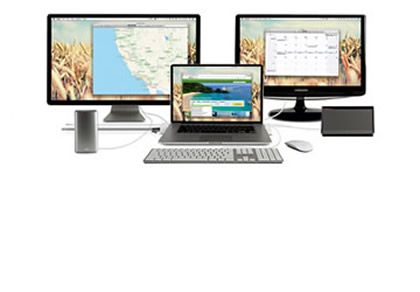
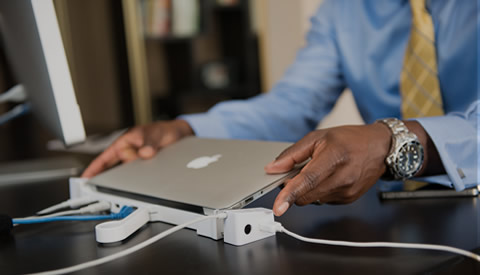
Simple Docking: Turn your MacBook Air into a fully functional desktop system. No need to plug in cables each time you connect.
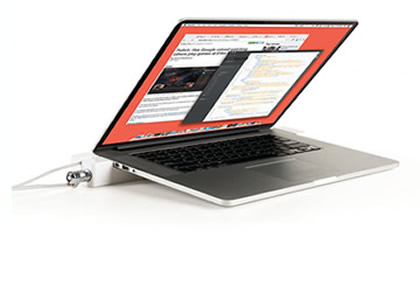
Safe & Secure: now you can lock your valuable MacBook Air with a standard Kensington® lock (sold separately).
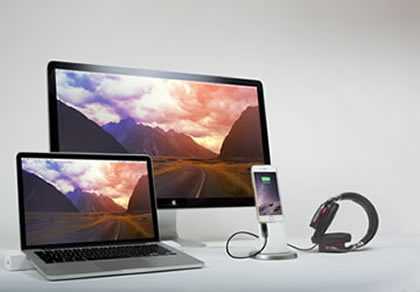
For the home too! Pick up an extra LandingZone for your home and keep your entertainment equipment cables connected.
How LandingZone makes lives easier
- Brings a lockable option to your MacBook Air
- Leave your peripheral cables and charger connected. Simply undock and walk away with your MacBook Air
- Get extra USB 3.0 ports with built-in powered Hub
- Brings Ethernet functionality to your MacBook Air (LandingZone PRO only)
- Light-weight and portable makes it easy to take it anywhere
- Connect to an Apple Thunderbolt Display (LandingZone PRO only)
- Connect multiple devices such as printers, hard drives, drawing tablets, iPhones, iPads, etc.
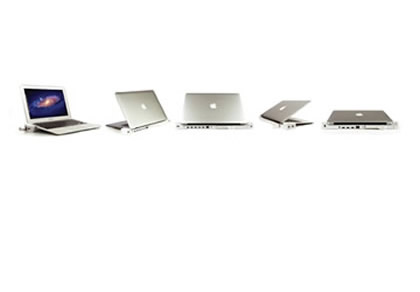
- Can be used when MacBook Air is opened or closed
- Comes with full 1-year warranty
- LED light indicators let you know if your MacBook Air is charging